I Tried Not to Build an Engine (And Failed)
Table of Contents
Back in October I told you I would be back with stories about my new engine infrastructure.
Well, hi! 👋 This article is for all of you out there at the edge of creating your own rendering engines.
We all knew where I was heading. Do not make an engine, they said. Just focus on what you want to achieve, they very correctly recommend. Making your own engine takes a lot of time, lots of work, and it is very, very complicated!
So I listened to the advice. I was just trying to “make it work”. Make it work with Unity. Make it work with raylib. At some point, I had so much code wrapping around those engines, so many patches, that it became unmanageable.
So I refactored and I began calling it “infrastructure”. I am not making an engine, this is just “infrastructure” to keep things working. Yeah, these are just “systems”. It’s fine. Everything’s fine.

Until it wasn’t.
It took me some months and many, many, many hours wrestling with raylib to finally give up and admit I was in the middle of my own Toilet Brush Paradox. In the end, “infrastructure” is to an engine what “situationship” is to a relationship; you just do not want to commit to it yet.
It was high time I did my own thing.
And you know what? Right now I am having a blast.
What went wrong?⌗
Hey, to be fair, it’s (almost certainly) not a raylib problem. Not even a Unity problem. Those tools are fine and they solve many problems. Hundreds of awesome games have been made with them!
Heck, I have used Unity professionally for almost 8 years, and a number of hobby years before that. That is a full third of my life, if not a half!
Once I gave up on Unity, I decided that what I wanted to learn was more about Graphics Programming and get into C++ along the way. Years ago I had started my path to programming PBR shaders and it was time to come back and finish it for good.
That is when I grabbed LearnOpenGL.com and raylib.
That was my first error.
In truth, all I wanted was to learn all the shaders and physics and not worry about OpenGL. I wanted scaffolding for input, window handling, all the things that were not directly in touch with ✨ shaders ✨, all while using an OpenGL learning resource.
Raylib has its own way of handling graphics, that’s the whole point of it! It has its own infrastructure for everything you may need because what it wants is to take that out of the way so you can make a game.
But I did not want to make a game. What I actually wanted (and did not know) was to go against all the sets of problems raylib was already solving for me.
The tipping point⌗
I had managed to render my scene, make a full Blinn-Phong shading model and even tweak it a little bit to make it pretty.
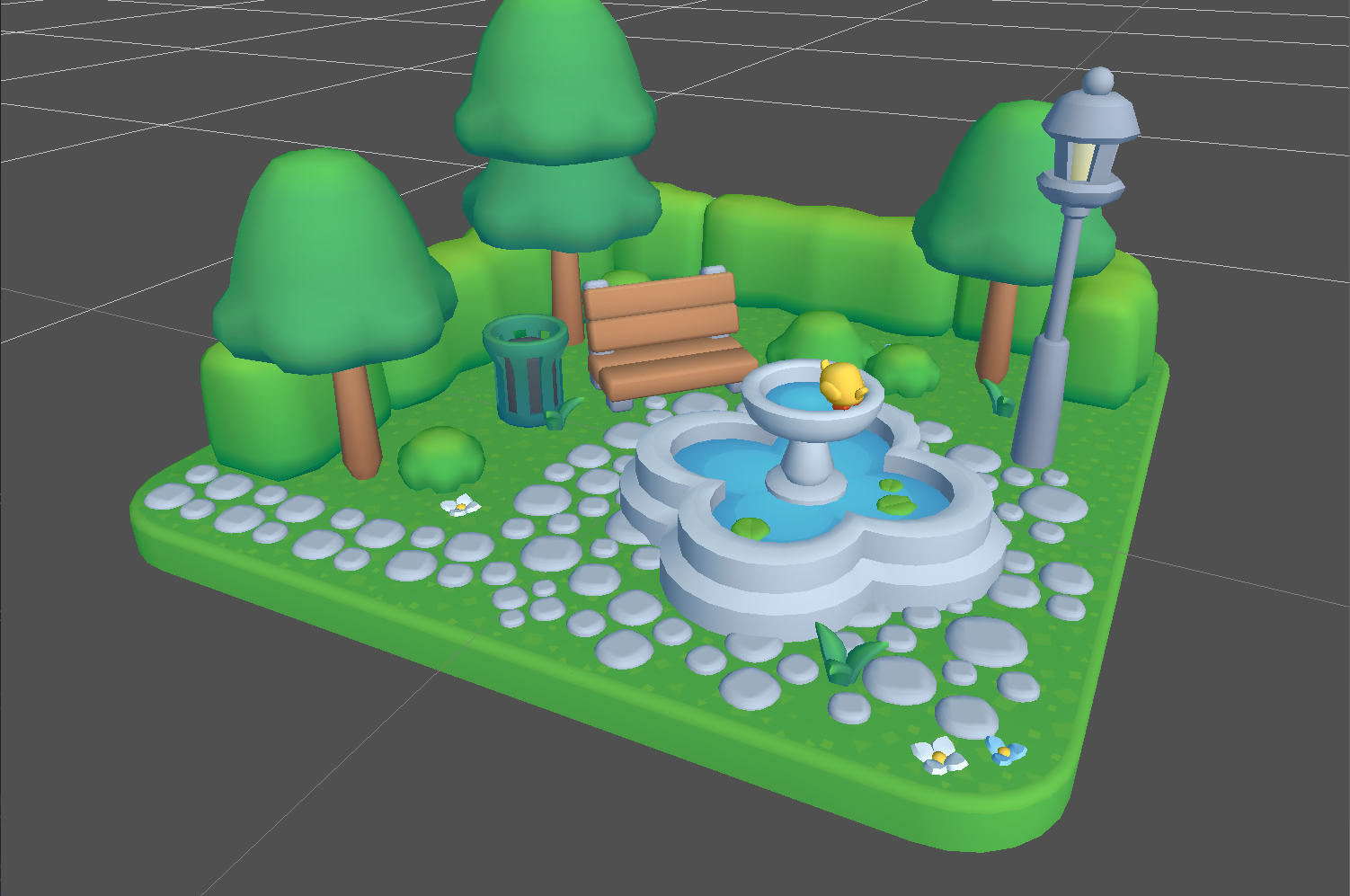
To get to that point, I had created my own Transform system, my own override of the Material system —essentially, setting up locs and textures because I did not want to use the prescribed slots raylib gives us—, the lighting system, a compositor for Post-Processing FX and a few pieces more. I learnt to use RenderDoc along the way and transitioned from Visual Studio Community to VSCode. Learning to set up a basic CMake project was a battle of its own.
It had been a lot of trial and error, and I wanted to get shadows in.
Surely, if I can get shadows in, I will mostly be done, I thought. It’s just one more system!
The theory is simple: for directional lights (e.g., the sun), just set an orthogonal camera looking in that direction, render the scene with a special shader on to a depth-only framebuffer, then send that as a texture in your regular materials. Once in your normal render pass, all you have to do is compare the current fragment’s distance to the light with the depth stored at the equivalent coordinates of the depth-texture. If this fragment is farther than the registered depth from the light, that fragment is in shadow. Easy.
Well, turns out setting up depth-only FBOs is not that easy, especially not in raylib. There used to be some examples online on how to achieve that, but they were no longer available on the web. AIs did remember them and would often come with alternative links, but the examples they provided did not quite work, and I generally do not trust AI-generated code without sources to back it up.
In the end, I managed to find a working (?) example inside the raylib package itself (search your project for: shadow camera). I copied the code over to my project, everything seemed to work, but I could not see the texture anywhere. As in, I could not find visual confirmation that the thing was working. Not in RenderDoc, not as a texture passed on to a normal Post-Processing FX. I struggled with this for a week until I finally gave up.
There was also the issue of the camera. My tutorial explained that the orthogonal camera had to have some specific dimensions, but raylib would not let me play with those. The camera it uses is set to the window’s ratio, if I remember correctly, and all it would let me touch was the FoVY. The FoVY is not a parameter for orthogonal cameras, so raylib uses it to calculate the height of the frustum in ortho projection.
Finally, in desperation, I turned back to RenderDoc to see what was going wrong. 5556 calls to the GPU, and everything was pitch black. When I launched the app from VSCode, it rendered “fine” (no shadows, but at least I could see the models and the light). I made a faint attempt at solving it. I remember getting really dirty with CMake to try and get OpenGL 4.2 to work.
Something inside my head kept telling me:
You are doing this wrong. You keep battling raylib. Stop 👏 doing 👏 that and 👏 just 👏 learn 👏 OpenGL!
The voice was right. I gave up and started everything from scratch.
Months later, once I had finally embraced OpenGL, made shadows work and understood all the ways I had been going wrong about it, I came to these three conclusions:
- Everything (searches online, AIs) kept telling me you absolutely cannot see a depth-only framebuffer because there is no color! BUT RenderDoc will show it to you in the outputs tab, and I had a good shader to turn depth into color. It should have worked, which means something with my setup was just wrong.
- One of those things was that you are supposed to move the camera backwards a bit before rendering, just so the frustum won’t cut some geometry. I do not think this was the reason it failed.
- I learnt the hard way that you have to unbind the FBO before using it as a Render Texture, and that it will do weird things if you try to render to it while bound to a TextureUnit for a material to use. I will never know if that was my issue (I believe it wasn’t), but it was a lesson learnt anyway.
My engine⌗
I did not start it as an engine. It was, again, just systems playing together. I went back to LearnOpenGL and re-read the whole thing, learnt all about VAOs and VBOs and EBOs, set up my own material and shader classes. I got some cute things working. All the shaders from my previous attempts would still work, the lighting system was almost completely reusable.
LearnOpenGL recommends using glm, but I like doing my own thing (as you may have guessed!) and understanding the math behind everything. It was not the first time I had tried making a math library on my own, you can still find my Hedra Library for Unity on Github. I had certainly made a very basic physics engine of my own back in the day, which had worked! So I spent a couple days making a new math library for this project.
It was tedious, fun, and a whole adventure of its own.
Eventually, I reached the point where I needed to load meshes into the system. After some research, I opted for tinyGLTF; it’s lightweight —which meant no CMake wrestling—, has bone weights for animation, and 0 opinions.
Yes, it limits me to that file type, but it has been enough for now and Tiny Treat’s Pretty Park models come in that format, so it was ideal. I learnt how it structured data, made my own version out of it, took what suited me, adapted it and discarded the rest. Worked like a charm.
With Models, there came the need for the AssetLibrary. At first I dreaded the idea, having flashbacks of Unity, but I realized every engine has some kind of asset library.
Which meant I was actually doing an engine.

And that is fine.
The features of my engine⌗
I am not ready to share it with the world yet. In fact, I do not think it has anything worth sharing —it is, after all, yet another rendering engine.
I am making it for my hobby, I am learning lots of things, but it is not something to professionally maintain. Not for now, at least. If it were ever to be publicly released, it would probably need a really big refactor, and then it would be a whole different thing.
But I want to brag, so I will tell you what it does:
The engine itself could be a package of its own. It has a singleton with the
AssetLibrary, theTree3D(scene hierarchy), theRenderer, and theRenderContext, which are regular classes.- The engine does not concern itself with windows or inputs. All it cares about is data and rendering.
- It does provide a simple logger because debugging.
The engine provides easy-to-use
UBOfunctions, in case you want to set anything globally (such as theCamera).The
AssetLibraryis created from anAssetManifest, which can be loaded from a TOML or just programmatically created as a regular class.- Or you could just fill the
AssetLibrarymanually.
- Or you could just fill the
Everything is ECS. It is built on the premise that all data has to be adjacent at the point of rendering.
- You can access everything and anything through Handles or
intIDs, which in turn makes handling references way easier.
- You can access everything and anything through Handles or
The
Tree3Dis made up ofNode3Ds, which have aTransform, amodelIdand define the materials for the model.- The hierarchy is solved topologically, meaning roots and parents go before children.
- It also ensures all nodes are ordered in memory, no gaps.
The
Renderertakes aRenderContext, anAssetLibraryand aTree3D, and solves everything.- Vertex Groups are solved into ‘buckets’. Each bucket has a material, a VAO and a list of transform matrices.
- This means I can render everything with
glDrawElementsInstanced. - Each
Materialdefines its render flags, so everything is kept user defined. - You can skip using the engine singleton altogether if you want. Just provide those three objects and you’re good to go!
The
RenderContextis just a thin layer on top of OpenGL to ensure my data is right. It keeps track of the last shader/VAO/FBO bound and makes sure I do not create feedback loops.- It also takes care of render flag setting and resetting.
Outside of it, I created the lighting and shadow systems, as well as the window and the camera object.
Yes, my engine does not care about the camera at all, or any other value the shaders may need. That is for me (the user) to decide. Material can handle almost all types of uniforms, and the UBO functions enable the rest. All this engine cares about is rendering, the objects it needs to render, and that they are always adjacent in memory.
Numbers & Pictures⌗
Some paragraphs ago I told you my previous saturated park scene took 5556 calls on raylib. That was for a single regular pass.
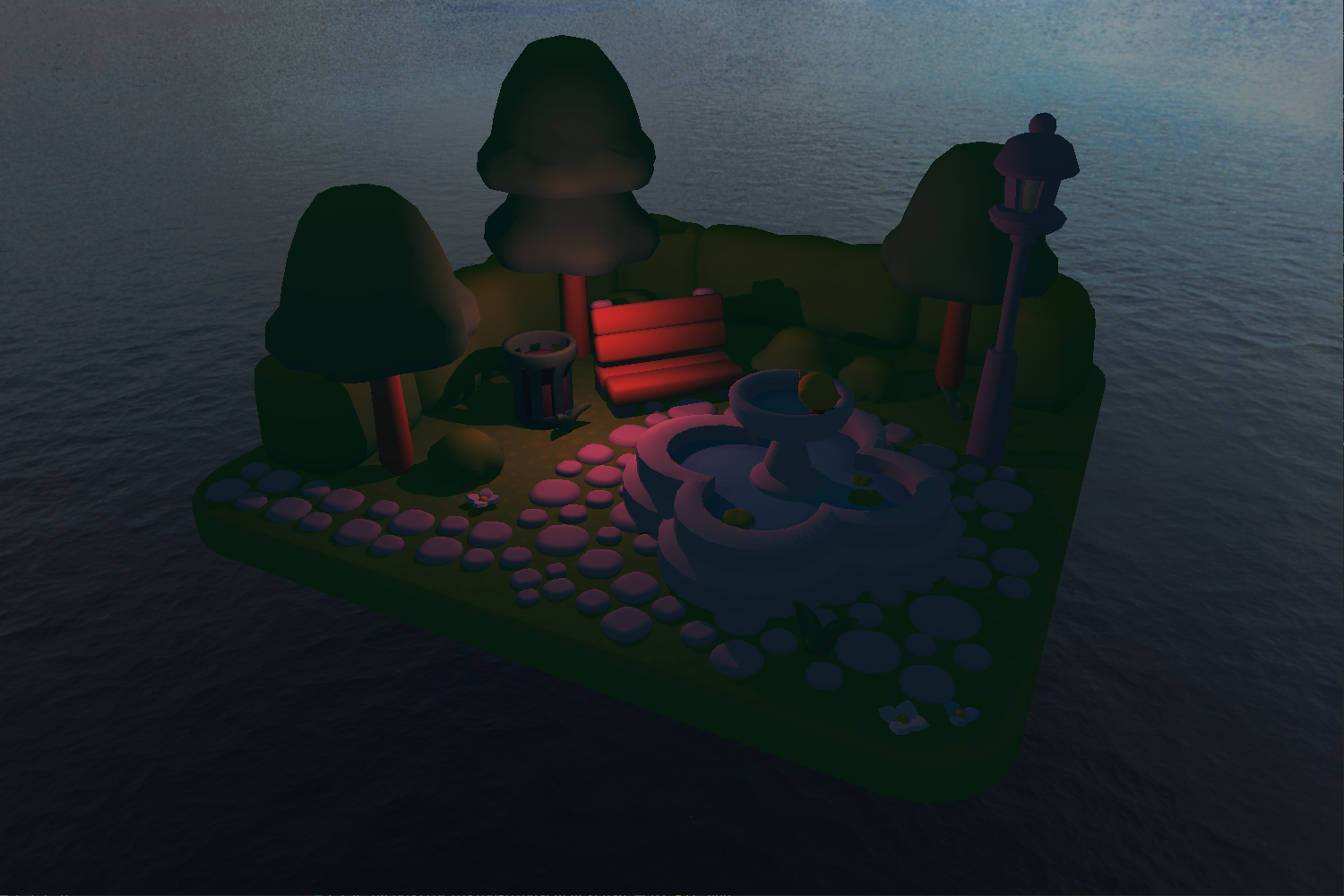
This one I just shared, taken from my engine, is just 292 calls. That’s a 95% reduction, while including an additional Depth-Only Cubemap render pass for the invisible point light.
Conclusion⌗
Should you make your own rendering engine?
I don’t know, maybe.
It was the right decision for me. Not because of the astronomic render call optimization —which is pretty cool—, it’s just what deep down I wanted to do.
In the end, it does not matter if you are a seasoned veteran or just a student. The advice that says “do not make an engine for starters” is very valid, but only if your focus is on making games.
Do not make an engine if what you want to do is make games. Just 👏 make 👏 games!
But if your focus and your passion is on rendering? Hell, yeah! Go for it. That’s where you will learn the most.
It will be loads of frustrating FUN!
If you made it this far...
Thank you! I hope you liked it!
I do not allow comments in my blog because I do not want to deal with scam bots. However, feel free to contact me! Did you like it? Did you not agree? Did I mess up? Drop me a message!
And if you would like to support my work, please, consider doing so through ko-fi: